Introduction
For enterprises with years of paper records, deciding to digitize documents is only the beginning. The next question is often more difficult: should the organization build an in-house digitization operation or outsource the work to a specialized provider? The answer affects project cost, turnaround time, data quality, employee workload, security and the ability to handle large document volumes.
Both approaches can work. In-house digitization provides greater direct control over equipment, processes and document handling while outsourcing provides access to specialized infrastructure, trained resources and scalable production capacity. The right choice depends on the organization's document volume, project objectives, internal capabilities and long-term digitization requirements.
What Is In-House Document Digitization?
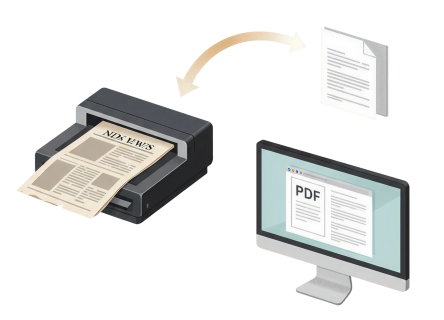
In-house document digitization means an organization manages the conversion of physical records into digital files using its own people, equipment, software and facilities.
The organization is responsible for the complete process, including:
This approach can provide greater operational control. It can also make sense when an organization has a continuous need for scanning and already possesses suitable infrastructure and trained employees. However, the true cost goes beyond purchasing a scanner. Organizations must consider software, maintenance, staffing, document preparation, quality control and the time employees spend away from their primary responsibilities.
What Are Outsourced Document Digitization Services?
Outsourcing means engaging a specialized document digitization provider to convert physical records into digital information on the organization's behalf. Professional digitization services may provide production-scale scanning equipment, trained operators, OCR, indexing, metadata capture, quality assurance and structured digital output.
Specialized providers are designed to process document volumes that may be difficult for an organization's regular employees to handle alongside their normal responsibilities. Ricoh notes that scanning services specialize in large document volumes while providing specialized infrastructure and expertise. Outsourcing can also be structured around different requirements. Depending on the project, documents may be processed at a provider's facility or through an on-site model where scanning takes place at the customer's location.
Outsourcing vs In-House Digitization: Key Differences
The decision becomes clearer when both approaches are evaluated against the same criteria.
1. Initial Investment
In-house digitization generally requires investment in scanners, software, workstations, storage and supporting infrastructure. There may also be recurring costs for equipment maintenance, software licensing and employee training.
With outsourcing, much of the underlying production infrastructure is provided by the service provider. Instead of building the entire capability internally, the organization purchases digitization as a service.
Advantage: Outsourcing for projects with significant infrastructure requirements.
2. Staffing and Expertise
In-house projects require employees who understand document preparation, scanning standards, OCR, indexing, metadata and quality control. This can become challenging when employees must perform digitization alongside their normal responsibilities.
Outsourcing provides access to personnel whose primary role is document processing. Iron Mountain, for example, highlights the importance of specialized expertise in scanning, indexing and metadata tagging when digitizing records.
Advantage: Outsourcing when specialized skills are not available internally.
3. Document Volume
Volume is one of the most important factors in the decision. A department digitizing a small number of documents on an ongoing basis may find in-house scanning practical. A company facing decades of accumulated records may need significantly greater production capacity.
Professional scanning services are specifically designed to process large volumes and can scale resources around project requirements.
Advantage: Outsourcing for large or fluctuating document backlogs.
4. Control Over the Process
In-house digitization provides direct control over how documents are prepared, scanned, named, indexed and stored. This can be useful when documents are highly sensitive or when teams need immediate physical access to records.
Outsourcing does not necessarily mean giving up control. Enterprises can establish specifications for image quality, metadata, file formats, security procedures, quality checks and delivery requirements within the service agreement.
Advantage: In-house for maximum direct control. Outsourcing when governance requirements can be clearly defined and monitored.
5. Speed and Project Timelines
Large digitization projects can place significant pressure on internal teams. Employees may have to balance scanning activities with their regular operational responsibilities. An outsourcing provider can dedicate production resources to the project and use specialized equipment designed for high-volume processing.
For organizations working toward a defined migration deadline, this scalability can be an important consideration.
Advantage: Outsourcing for large projects with aggressive timelines.
6. Quality and Accuracy
Digitization quality involves much more than producing a clear scan.
Organizations must also consider:
A professional provider can establish standardized quality assurance procedures across large document batches. In-house teams can achieve the same outcome but must design and maintain those procedures themselves.
Advantage: Depends on internal capabilities. Outsourcing can be stronger when specialist quality-control processes are not already established.
7. Security and Document Handling
Sensitive records require controlled handling throughout the digitization lifecycle. In-house processing keeps physical documents within the organization's facilities. This can reduce concerns associated with transferring records externally but requires the organization to manage access controls, secure work areas, employee permissions and document tracking.
Outsourced projects require careful evaluation of the provider's security controls, personnel practices, chain-of-custody procedures and data-handling policies.
Advantage: Neither approach automatically wins. Security depends on how effectively the complete process is governed.
8. Scalability
In-house capacity is generally constrained by the organization's available scanners, employees, workspace and operating hours. If document volumes suddenly increase, additional resources may need to be purchased or hired.
Outsourcing allows enterprises to access an established production environment without necessarily building equivalent capacity internally. This is particularly relevant for projects involving multiple locations, large archives or fluctuating document volumes.
Advantage: Outsourcing for highly variable or large-scale requirements.
When Does In-House Digitization Make More Sense?
In-house digitization may be appropriate when:
For example, a department that receives a consistent flow of records every week may benefit from maintaining a small internal scanning operation rather than repeatedly outsourcing small batches. The economics should be evaluated over the expected operating period rather than based only on the purchase price of scanning equipment.
When Is Outsourcing Document Digitization Services Better?
Outsourcing is often worth considering when:
The value of outsourcing is therefore not limited to scanning. It can include the ability to access an established process for preparing, capturing, classifying, indexing and quality-checking large document collections.
How to Compare the Total Cost of Both Approaches
A common mistake is to compare a vendor's per-page price with the purchase price of an internal scanner.
That does not represent the full cost of either option.
For an in-house project, consider:
For outsourcing, consider:
A total-cost comparison provides a more realistic basis for the decision than scanning price alone.
A Practical Decision Framework
Before choosing an approach, answer six questions.
How Much Needs to Be Digitized?
Small and predictable volumes may be manageable internally. Large historical backlogs generally require greater production capacity.
How Quickly Must the Project Be Completed?
If the organization has a strict deadline, the ability to dedicate specialist resources becomes more important.
Does the Organization Already Have the Required Infrastructure?
Existing production scanners, OCR software, storage and trained employees can make internal digitization more viable.
How Complex Are the Documents?
Standard documents are easier to process internally. Mixed formats, large-format drawings, fragile records, bound documents or records requiring detailed indexing may require specialized capabilities.
How Sensitive Are the Records?
Consider whether documents can leave the organization's premises. If outsourcing is acceptable, evaluate the provider's security, access controls and document-handling procedures before proceeding.
Is Digitization a One-Time Project or an Ongoing Capability?
A large one-time backlog and a permanent document capture requirement are fundamentally different business cases. The former may favor outsourcing while the latter may justify developing internal capability.
Can a Hybrid Digitization Model Work?
Yes. Enterprises do not necessarily have to choose one approach for every document category. A hybrid model can combine internal scanning for frequently accessed or highly sensitive records with outsourced digitization for large historical archives.
For example, an organization could process new documents internally while outsourcing a multi-year backfile conversion project. This allows the enterprise to maintain an internal day-forward process without forcing employees to handle a large historical backlog. A hybrid model can therefore be useful when document volumes, sensitivity and operational requirements vary across departments.
Where DIGI+ Fits into the Digitization Decision
The choice between outsourcing and in-house digitization should ultimately be about creating useful digital information rather than simply producing scanned files.
DIGI+ supports enterprise document digitization by converting physical records into searchable and structured digital assets through capabilities such as scanning, OCR, indexing and metadata capture. The resulting information can provide a stronger foundation for downstream digital processes.
For organizations evaluating an outsourcing model, the important question is therefore not simply whether a provider can scan documents. It is whether the digitization process can produce the quality, structure, indexing and accessibility required by the business.
For organizations with large archives, this distinction can determine whether digitization becomes a useful information asset or simply a collection of digital files.
What to Look for in an Outsourced Digitization Partner
If outsourcing is the preferred approach, evaluate the provider across the complete digitization lifecycle.
Look for capabilities covering:
A provider should also be able to explain how exceptions are handled. Damaged documents, missing pages, poor-quality originals and ambiguous classifications should have documented quality-control procedures rather than being treated as afterthoughts.
For a more detailed evaluation framework, see Document Digitization Services Checklist: 10 Things to Evaluate Before Choosing a Provider. (Link)
Real-World Example
A useful real-world illustration comes from Iron Mountain's work ( ink)with Alternatif Investment. The project combined on-site OCR scanning with a digital information platform. According to Iron Mountain, approximately 23,000 paper-based documents had been digitized during the first phase and the company reported saving around 20 hours per week after the work. This is a company-specific case study rather than a universal benchmark for outsourcing.
The example demonstrates an important point: the value of outsourcing can extend beyond converting paper to images. When digitization is designed around searchable information and subsequent digital processes, the resulting records can support broader operational improvements.
Conclusion
There is no universal winner between outsourced and in-house document digitization. In-house digitization can be appropriate when document volumes are manageable, infrastructure already exists and the organization needs continuous control over the process. Outsourcing can be more practical when enterprises face large backlogs, tight deadlines, specialist requirements or fluctuating volumes.
The most effective decision is based on the organization's total requirements rather than scanning cost alone. By evaluating volume, infrastructure, staffing, document complexity, security, quality and long-term objectives, enterprises can select an approach that turns physical records into useful digital information. Where large-scale digitization requires structured scanning, OCR, indexing and metadata capture, solutions such as DIGI+ can support the transition from physical archives to searchable digital records.
Frequently Asked Questions
Is it cheaper to outsource document digitization or do it in-house?
There is no universal answer. In-house digitization may be economical when equipment, staff and infrastructure are already available. Outsourcing can be more cost-effective for large projects because the organization does not have to build equivalent production capacity internally. Total cost should include equipment, staffing, software, maintenance, quality control and project management.
When should a company outsource document digitization?
Outsourcing is worth considering when document volumes are large, project deadlines are demanding or the organization lacks suitable scanning infrastructure and trained personnel. It can also be useful when specialized indexing, OCR or metadata capture is required.
Is outsourced document digitization secure?
It can be, but security depends on the provider and the controls implemented. Organizations should evaluate physical document handling, access controls, chain of custody, data protection, employee permissions, storage and data transfer procedures before selecting a provider.
Can companies digitize some documents in-house and outsource others?
Yes. A hybrid approach can be practical when document categories have different security, volume or processing requirements. For example, an organization can handle day-forward documents internally while outsourcing a large historical archive.
What is more important than scanning speed when choosing a digitization provider?
Scanning speed is only one factor. Enterprises should also evaluate OCR quality, indexing accuracy, metadata capture, document classification, quality assurance, security, scalability and the format and structure of the final digital output.