Introduction
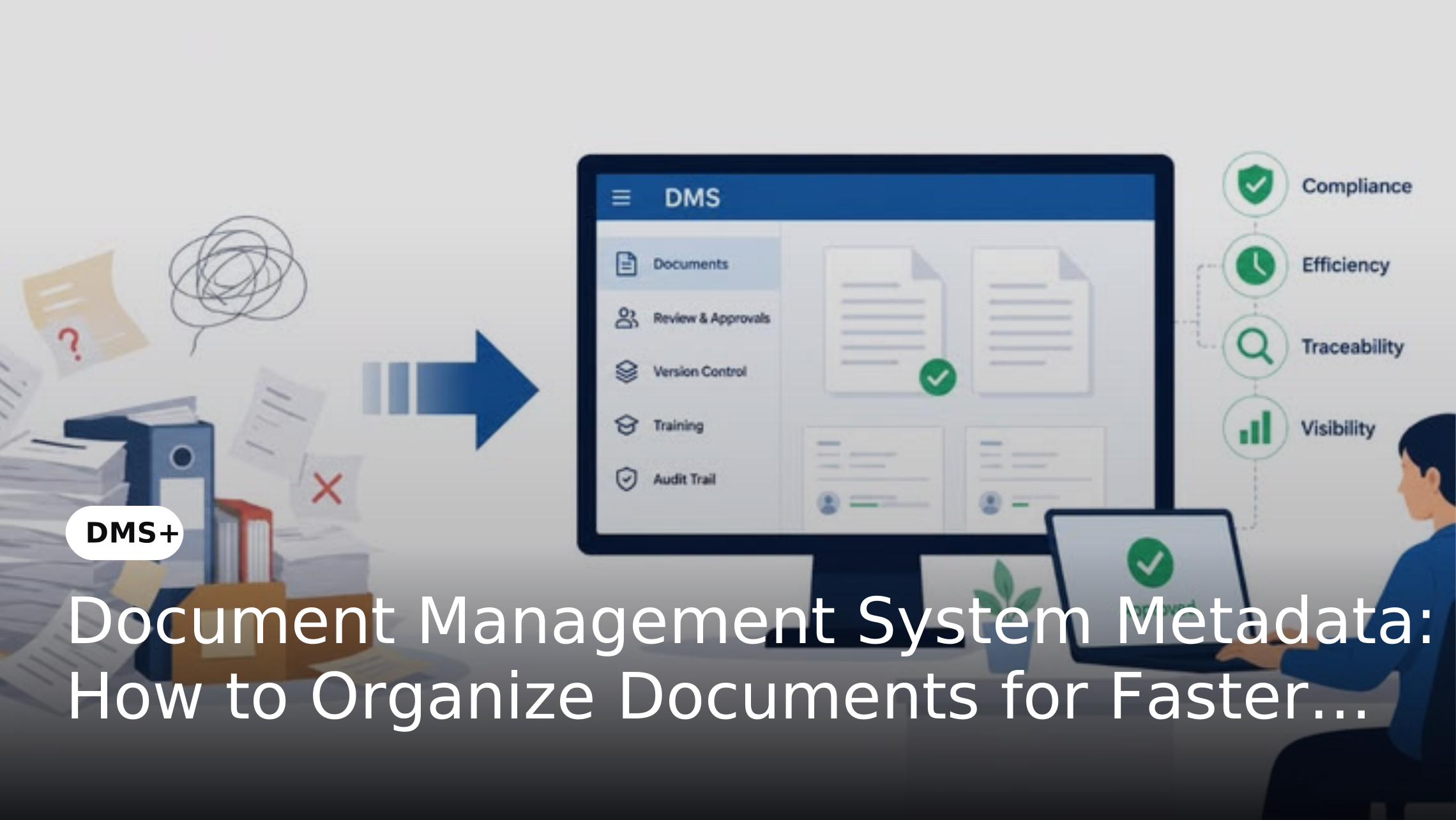
Finding a document should not depend on remembering its filename, folder location or who originally uploaded it. As enterprise repositories grow, organizations need a consistent way to describe and classify documents so users can locate the right information quickly. This is where metadata becomes an important part of document management.
Document management system metadata provides structured information about a document, such as its type, owner, department, date, status or associated business record. When metadata is standardized and searchable, employees can filter and retrieve documents using information they already know rather than navigating through complex folder structures.
Why Metadata Matters for Document Search and Retrieval
A document repository can contain thousands or millions of files. Searching only by filename becomes increasingly unreliable when users cannot remember the exact name or folder location. Microsoft research found that employees could potentially save four to six hours each week if they did not have to search for information or recreate information that already existed. Microsoft Research: Knowledge Sharing in a Changing World While the research covers information search more broadly, it demonstrates the productivity value of making business information easier to find.
Metadata provides additional ways to identify and retrieve documents based on business context. For example, a procurement team could filter contracts by Document Type = Contract, Department = Legal, Vendor = ABC Ltd and Status = Active instead of relying on filenames or folder locations. This makes retrieval more precise and reduces dependence on employees remembering where documents were stored.
How Metadata Improves Document Retrieval
Metadata improves retrieval by allowing users to combine keywords with structured filters to narrow results across a large repository. For example, a procurement team searching for supplier contracts could filter by Document Type, Vendor, Contract Status, Business Unit and Expiry Date. Microsoft's 2023 Work Trend Index found that 62% of respondents struggle with spending too much time searching for information during their workday. Microsoft 2023 Work Trend Index: Annual Report
Modern DMS platforms can combine metadata search with full-text search, OCR and advanced filtering to improve retrieval accuracy. DMS+ supports metadata-driven search alongside document content search, allowing users to locate information using both structured document attributes and indexed content. This approach helps organizations create a more consistent and searchable document environment.
Metadata vs File Names and Folder Structures
File names and folders still have a role in document organization, but they should not be the only method used to find information.
File Names
Naming conventions provide a recognizable label for a document. However, filenames can become inconsistent when different employees use different formats.
Folder Structures
Folders provide a visual hierarchy for organizing information. Deep or inconsistent folder structures can make navigation difficult as repositories expand.
Metadata
Metadata adds structured attributes that can be searched and filtered independently of the document's physical or logical location.
A strong DMS can combine folders, naming conventions, metadata and full-text indexing rather than relying on one organization method.
Key Metadata Fields for Document Management
The right metadata fields depend on the organization's documents, processes and search requirements. Common fields include:
-
Status: Draft, under review, approved, active, expired or archived.
Organizations should select fields based on how employees actually search for and manage documents rather than creating metadata simply for the sake of adding more fields.
How to Build an Effective Metadata Structure
A useful metadata structure should be consistent, searchable and aligned with business processes.
1. Identify Document Categories
Start by identifying the major document types managed across the organization. These could include contracts, invoices, employee records, customer files, compliance documents and technical documentation.
2. Identify How Users Search
Interview the teams that regularly retrieve documents. Determine whether they search using document type, customer, vendor, employee, project, date, status or another business identifier.
3. Define Standard Metadata Fields
Create a common set of metadata fields for each document category. Avoid unnecessary fields that users rarely need for retrieval or governance.
4. Standardize Metadata Values
Use controlled values wherever possible. For example, a department field should use a defined list of departments rather than allowing employees to enter variations such as “HR”, “Human Resources” and “People Team”.
5. Define Mandatory and Optional Fields
Make critical metadata mandatory while keeping less important information optional. This balances search quality with the effort required during document capture.
Metadata Automation in a Modern DMS
Manual metadata entry can become difficult when organizations process large document volumes. Automation can reduce the amount of information users need to enter manually. Depending on the document type and implementation, a DMS can use document classification, OCR, extracted fields, predefined rules or other intelligent capabilities to populate metadata.
DMS+ supports automated metadata extraction and classification capabilities that can help structure documents based on information contained within them. This is particularly useful when processing scanned documents or high volumes of incoming records.
Metadata Governance Best Practices
Metadata quality directly affects search quality. Poorly defined fields or inconsistent values can make a technically searchable repository difficult to use.
Follow these practices:
A well-designed metadata structure can also support broader document lifecycle and governance requirements. Consistent metadata and indexing are already identified as important components of effective document lifecycle management.
Common Metadata Management Mistakes
Using Too Many Metadata Fields
Adding excessive fields can increase complexity without improving retrieval. Metadata should serve a clear search, classification or governance purpose.
Allowing Inconsistent Values
Different terms for the same department, document type or status can fragment search results. Controlled values help maintain consistency.
Relying Entirely on Manual Tagging
Manual tagging can become inconsistent at scale. Where appropriate, automated classification and extraction can reduce repetitive work.
Designing Metadata Without User Input
Metadata should reflect how employees actually find documents. A structure designed without understanding user search behavior may be technically detailed but operationally ineffective.
Treating Metadata as a One-Time Setup
Business processes, document types and organizational structures change. Metadata structures should therefore be reviewed and updated as business requirements evolve.
How DMS+ Supports Metadata-Based Document Organization
DMS+ provides a structured environment for organizing documents through customizable metadata, classification and search capabilities. Organizations can define metadata according to document types and business requirements while using those fields to improve indexing and retrieval.
Metadata can also work alongside other DMS capabilities such as OCR, document classification, access controls, version management and lifecycle controls. This allows organizations to move beyond simple file storage and create a more structured and searchable document environment. DMS+ documentation also describes customizable metadata fields and metadata-based search filters as core capabilities.
How to Implement Metadata in a DMS
A practical implementation can follow these steps:
The goal should not be to create the largest possible metadata structure. It should be to create a consistent structure that helps users find, manage and govern documents efficiently.
Conclusion
Document management system metadata provides the structure needed to organize large document repositories for efficient search and retrieval. By standardizing document types, business identifiers, ownership, dates, statuses and other relevant attributes, organizations can make information easier to locate without relying entirely on filenames or folder structures.
The most effective approach combines well-designed metadata with classification, indexing, full-text search and appropriate automation. With capabilities such as customizable metadata, automated classification and metadata-driven search, DMS+ can help organizations create a more structured and searchable document environment.