Introduction
Documents move through multiple stages during their useful life. They are created, captured, classified, stored, accessed, reviewed, updated, retained and eventually archived or disposed of. Without a defined document lifecycle management strategy, organizations can face duplicate files, outdated versions, uncontrolled access, inefficient retrieval and inconsistent retention practices.
Building an effective strategy requires more than choosing a document management system. Organizations need to understand the types of documents they manage, define ownership and access requirements, establish retention policies and determine how documents should move through each lifecycle stage. A structured approach supported by DMS+ can help organizations maintain control over business information while improving efficiency and document governance.
What Is Document Lifecycle Management?
Document lifecycle management is the structured process of managing a document from the time it is created or captured until it is archived or securely disposed of. Each stage has different requirements for storage, access, security, version control, retention and governance.
A document lifecycle management strategy turns these requirements into defined policies and processes. Rather than treating document storage as an isolated activity, organizations can manage documents as part of a controlled lifecycle that continues throughout their useful life.
For a broader understanding of how a document management system manages documents, see What Is a Document Management System (DMS)?.
Why Businesses Need a Document Lifecycle Management Strategy
A lifecycle strategy gives organizations greater control over how information is created, used and retained. It also establishes consistent processes that can be applied across departments and document types.
Improve Document Organization and Accessibility
When documents are consistently classified, indexed and stored, employees can locate the information they need more quickly. Centralized document management reduces dependence on scattered folders, email attachments and personal storage locations.
Consistent metadata and indexing also make documents easier to search based on attributes such as document type, department, owner, date or business process.
Reduce Document and Compliance Risks
Uncontrolled documents can result in unauthorized access, accidental deletion or the use of outdated information. Defined access controls, version management, retention rules and audit trails provide greater visibility into how documents are handled.
A lifecycle strategy also helps organizations establish clear responsibilities for document ownership and governance.
Improve Operational Efficiency
Manual document handling often involves repetitive searching, copying, routing and approval activities. A lifecycle strategy can identify where these activities can be standardized or automated.
This allows employees to spend less time managing documents manually and more time on business activities that require human decision-making.
What Are the Key Stages of the Document Lifecycle?
A document typically passes through several stages during its lifecycle. The exact process can vary by organization and document type but a structured lifecycle generally includes the following stages.
1. Document Creation and Capture
The lifecycle begins when a document is created internally or received from an external source. Documents may originate from employees, customers, suppliers, partners or other business systems.
Paper records can also enter the lifecycle through scanning and digitization. Organizations moving from physical records can refer to How to Migrate from Paper to a Digital Document Management System for a broader approach to transitioning paper-based records into digital document management.
2. Classification and Indexing
Once a document is captured, it needs to be categorized so that it can be stored and retrieved efficiently. Classification can be based on document type, department, customer, project, business process or other relevant attributes.
Metadata and indexing provide additional context that helps users find documents quickly. Consistent classification can also support automated workflows, access rules and retention policies.
3. Storage and Organization
Documents need to be stored in a controlled environment where they can be managed throughout their lifecycle. Organizations should establish logical repositories and define how documents are organized according to business requirements.
A centralized document management environment can reduce fragmented storage and provide a consistent source of information for authorized users.
4. Access and Use
Documents should be accessible to employees who need them while remaining protected from unauthorized users. Access policies should consider user roles, departments, document sensitivity and business requirements.
Role-based access controls can help determine who can view, edit, download, share or manage specific documents.
5. Review and Version Control
Documents that change over time need controlled review and version management. Without version control, employees may unknowingly use outdated copies or create conflicting versions.
A lifecycle strategy should define how documents are reviewed, approved, updated and replaced. Maintaining a complete document history also provides visibility into changes made over time.
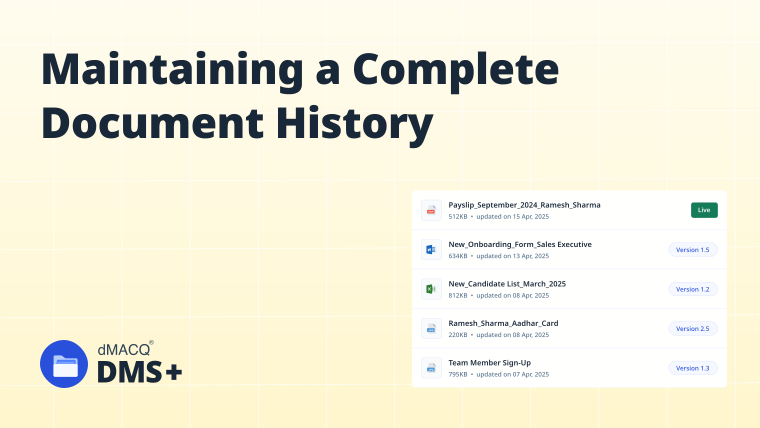
For more information about maintaining traceability across document versions, see Maintaining a Complete Document History.
6. Retention and Archiving
Not every document remains actively used throughout its entire lifecycle. Once a document is no longer required for day-to-day operations, it may need to be retained for a defined period or moved to an archive.
Retention rules should identify how long different document categories need to be maintained and what conditions trigger archiving.
7. Secure Document Disposal
At the end of the retention period, documents that are no longer required should be disposed of according to organizational policies and applicable requirements.
Secure disposal helps prevent unnecessary information accumulation and reduces the risk of sensitive documents remaining accessible after their business or retention value has ended.
How to Build a Document Lifecycle Management Strategy
Creating a lifecycle strategy requires organizations to combine business requirements, document governance, security policies and technology.
1. Identify the Documents Your Organization Manages
Start by identifying the major document categories used across the organization. These may include contracts, HR records, financial documents, customer files, operational records, policies and compliance documents.
For each document category, determine:
This document inventory provides the foundation for the lifecycle strategy.
2. Map the Lifecycle of Each Document Type
Different documents can follow different lifecycle paths. A contract, for example, may require drafting, legal review, approval, execution, active storage, renewal and eventual archiving.
Map the stages that each important document type passes through. This helps identify manual processes, duplicated storage, unclear ownership and unnecessary document movement.
3. Define Document Ownership and Access Rules
Every document category should have clearly defined ownership and access requirements. Determine which roles can create, view, edit, approve, share or delete documents.
Access permissions should follow the principle of providing users with only the access required for their responsibilities. Sensitive documents may require more restrictive controls than general operational records.
4. Establish Version Control and Approval Processes
Define when documents require review and approval and who is responsible for each step. Establish rules for managing revisions so users can identify the current approved version.
Automated workflows can route documents to the appropriate reviewers and maintain records of approval activity. This creates greater accountability while reducing reliance on email-based approvals.
5. Define Retention and Archiving Policies
Retention policies should be aligned with business requirements and applicable regulatory obligations. Establish retention periods by document category and identify the conditions that trigger archiving.
The strategy should also distinguish between documents that require active access and those that only need to be retained for reference, legal or compliance purposes.
6. Implement Security and Compliance Controls
Security should be applied throughout the document lifecycle rather than only at the storage stage.
Important controls may include:
For a deeper look at document governance, see Ensure Data Governance with DMS+: Build Control, Compliance and Confidence.
7. Automate Document Workflows
Identify repetitive activities that can be automated. These may include document routing, approvals, notifications, classification, review reminders and retention actions.
Workflow automation helps ensure that documents move through predefined lifecycle stages without relying entirely on manual intervention.
8. Monitor and Improve the Strategy
A lifecycle strategy should evolve as business processes, document volumes and regulatory requirements change. Regularly review document usage, access activity, retention practices and workflow performance.
Organizations can use audit information and process metrics to identify bottlenecks, unnecessary documents and opportunities for further automation.
How Can a Document Management System Support the Document Lifecycle?
A document management system provides the technology layer for implementing lifecycle policies consistently. Instead of managing lifecycle activities across disconnected folders and applications, organizations can centralize documents and apply defined controls within a structured environment.
DMS+ can support key lifecycle requirements through centralized document storage, classification, metadata, access controls, version management, workflow approvals, search and retrieval, audit trails, retention and document security.
Organizations can also connect document management with the systems that support their daily operations. Learn more about Why Your Document Management System Should Integrate with Business Applications to understand how connected systems can reduce information silos and improve document-driven processes.
Common Challenges in Document Lifecycle Management
Document Duplication
Multiple copies of the same document can make it difficult to determine which version is authoritative. Centralized storage and version control can help reduce unnecessary duplication.
Outdated Document Versions
Employees may continue using older versions when revised documents are stored across multiple locations. Controlled versioning and approval workflows help maintain a reliable source of truth.
Uncontrolled Access
Documents stored in shared folders or sent through email can be accessed by users who do not require them. Role-based permissions provide more controlled access to sensitive information.
Manual Document Workflows
Email-based approvals and manual routing can slow down document processes and make it difficult to track progress. Workflow automation can create more consistent and traceable processes.
Inconsistent Retention Practices
Keeping documents indefinitely can increase storage requirements and information risk while deleting them too early can create operational or compliance issues. Document-specific retention policies help establish consistent practices.
Real-World Examples of Document Lifecycle Management
HR Documents
An employee document may be created during recruitment, reviewed by HR, stored in an employee record, updated throughout employment and retained according to organizational policy after the employee leaves.
A lifecycle strategy can control who accesses the record while maintaining version history and retention rules.
Contracts
A contract may move from drafting to legal review, approval, signing, active management, renewal and eventual archiving.
Workflow approvals, version control and audit trails can provide visibility throughout the contract lifecycle and help ensure that teams work with the correct approved version.
Financial Records
Invoices, purchase documents and financial records may need to be captured, classified, reviewed, approved, stored and retained for a defined period.
Automated workflows can reduce manual routing while centralized storage makes records easier to retrieve during audits or financial reviews.
Customer Documents
Customer-related documents may be created during onboarding and continue through service delivery, account management and eventual closure.
A lifecycle strategy can ensure that customer information remains accessible to authorized users while retention and disposal rules are applied consistently.
Best Practices for an Effective Document Lifecycle Management Strategy
1. Create Document-Specific Lifecycle Rules
Not every document should follow the same retention, approval or access process. Define lifecycle rules according to the business purpose and sensitivity of each document category.
2. Standardize Metadata and Classification
Use consistent metadata fields and classification structures across departments. Standardization improves searchability and makes automated lifecycle controls easier to implement.
3. Apply Security Throughout the Lifecycle
Review access requirements as documents move between stages. A document may require different permissions during creation, approval, active use and archival.
4. Automate Repetitive Activities
Use workflows for routing, approvals, notifications, review cycles and other repetitive activities. Automation improves consistency and reduces manual effort.
5. Maintain Auditability
Track important document actions and changes throughout the lifecycle. Audit trails can help establish accountability and support compliance reviews.
6. Review Retention Rules Regularly
Retention requirements can change as business processes and regulatory obligations evolve. Review lifecycle policies periodically to ensure they remain relevant.
7. Measure Lifecycle Performance
Monitor document retrieval, workflow delays, access activity, approval times and retention outcomes. These metrics can reveal areas where the lifecycle strategy needs improvement.
How DMS+ Helps Implement a Document Lifecycle Management Strategy
A document lifecycle management strategy provides the policies and processes. DMS+ provides the environment for putting those policies into practice. By bringing document storage, classification, access control, version management, workflows, search, audit trails and lifecycle controls into a centralized platform, DMS+ can help organizations manage documents consistently from creation through retention and disposal.
This approach allows organizations to move beyond simply storing documents. Instead, documents can be governed according to defined business rules while users can access the information they need through controlled and searchable document repositories.
Frequently Asked Questions
What is a document lifecycle management strategy?
A document lifecycle management strategy defines how an organization creates, captures, stores, accesses, reviews, retains, archives and disposes of documents throughout their lifecycle.
What are the main stages of the document lifecycle?
The main stages generally include creation or capture, classification, storage, access and use, review and version control, retention, archiving and secure disposal.
Why is document lifecycle management important?
It helps organizations improve document accessibility, security, version control, compliance and operational efficiency while reducing risks associated with unmanaged information.
How does a DMS support document lifecycle management?
A DMS can centralize documents and support classification, access control, version management, workflows, audit trails, search, retention and other lifecycle controls.
What is the difference between document management and document lifecycle management?
Document management focuses on organizing and controlling documents, while document lifecycle management takes a broader approach by managing documents across every stage from creation through final disposal.
Conclusion
A document lifecycle management strategy gives organizations a structured way to control information throughout its useful life. By defining how documents are created, classified, stored, accessed, reviewed, retained, archived and disposed of, businesses can reduce information risks while improving accessibility, security and operational consistency.
Technology plays an important role in making these policies practical. A document management system such as DMS+ can centralize documents and support key lifecycle activities while providing security, version control, workflows, search and auditability. With the right combination of policies, processes and technology, organizations can build a document lifecycle that remains controlled, efficient and adaptable as their information needs evolve.