Features

Workflows

Visual Workflow Designer

Visual Workflow Designer 

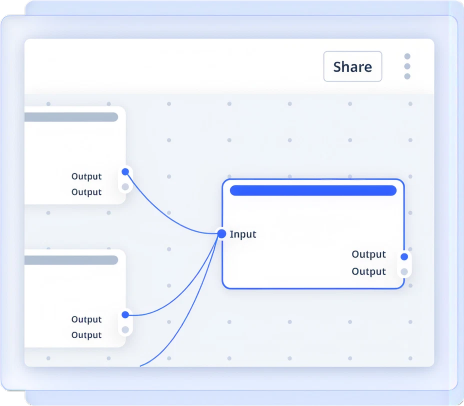
Visual Workflow Designer enables organizations to create, configure and automate document-centric business processes through a drag-and-drop interface within an Intelligent Document Management System (DMS), accelerating workflow automation, improving process visibility and reducing manual intervention.  
product-hero

Challenges

Understanding the business challenges this feature is designed to eliminate

Manual & Paper-Based Processes

Document approvals, reviews and routing processes often rely on emails and manual follow-ups, causing delays and reducing operational efficiency.

Complex Workflow Configuration

Traditional workflow development requires technical expertise, making process automation difficult to implement and modify.

Limited Process Visibility

Organizations struggle to track document status, approval stages and process bottlenecks, impacting productivity and compliance.

KeY Capabilities

Drag-and-Drop Workflow Design

Design document workflows visually by defining stages, approvals, notifications and decision points without requiring coding or complex configurations.

Configurable Business Rules

Create workflows based on document type, metadata, department, user role or business conditions to automate enterprise processes.

Automated Document Routing

Automatically route invoices, contracts, employee documents and other enterprise content to the right users, teams or departments for action.

Real-Time Workflow Tracking

Monitor workflow status, pending tasks, approval stages and process bottlenecks through centralized workflow visibility and tracking.

Integrated Notifications & Escalations

Automatically trigger alerts, reminders and escalations to ensure timely approvals, process completion and compliance with business policies.


Structure your documents with custom metadata for faster search and smarter control.

Use Cases

Solutions Across Departments

Centralized employee records for compliance and lifecycle management

check_circle
Employee Code for unique employee identification
check_circle
Joining Date to track tenure and eligibility
check_circle
Policy Version to manage compliance and updates
check_circle
Appraisal Cycle for performance review timelines
Centralized employee records for compliance and lifecycle management

Structured financial data for audits and regulatory readiness.

check_circle
Loan Number for account level tracking
check_circle
Customer ID to link financial records
check_circle
Invoice Date for billing and reconciliation
check_circle
PO Number for procurement validation
Structured financial data for audits and regulatory readiness.

Organized contracts for visibility, risk control and renewals.

check_circle
Contract Type to classify agreements
check_circle
Counterparty Name for stakeholder identification
check_circle
Renewal Date to avoid missed obligations
check_circle
Risk Category for compliance and exposure tracking
Organized contracts for visibility, risk control and renewals.

Project documents streamlined for governance and compliance.

check_circle
Project ID for centralized project documentation
check_circle
RERA Number to ensure regulatory compliance
check_circle
Unit Code for asset-level reference
check_circle
Approval Authority for governance and control
Project documents streamlined for governance and compliance.

FAQ’s

Frequently Asked Questions

Can I create different sets of metadata for different document types?

close

Yes. You can define metadata templates based on document categories (e.g., invoices, contracts, employee forms).

What metadata field types are supported?

open

Text fields, dropdowns, dates, checkboxes, numbers, radio buttons, multi-select fields and more.

Can metadata be made mandatory for document uploads?

open

Absolutely. You can configure rules that enforce metadata completion before document submission.

Can users edit metadata later?

open

With proper role-based access, metadata fields can be edited, versioned and audited.

Unlock the Future of Document Management

Discover a new era of efficiency, where powerful features and intuitive design work together to elevate your file management experience.

footer-logo

Regd. & Corp. Office: C 208, Neelkanth Business Park, Nathani Road, Vidyavihar West, Mumbai, Maharashtra 400086, India.

LinkedInInstagramFacebookTwitter

© Copyright 2026, All Rights Reserved

Designed with

Heart

by dMACQ Solutions