Features

Security-and-Compliance

Two-Factor Authentication (2FA)

Two-Factor Authentication (2FA) 

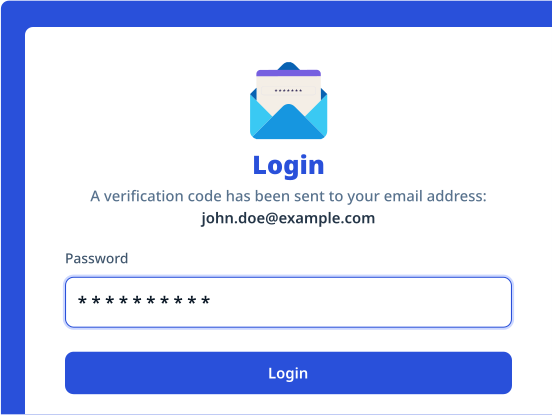
2 Factor Authentication (2FA) adds an extra layer of security by requiring users to verify their identity using two authentication methods before accessing an Intelligent Document Management System (DMS), protecting sensitive documents and strengthening enterprise security and compliance. 
product-hero

Challenges

Understanding the business challenges this feature is designed to eliminate

Unauthorized System Access

Passwords alone are vulnerable to phishing, credential theft and unauthorized access, exposing sensitive business documents and confidential information.

Increased Data Security Risks

Compromised user credentials can lead to data breaches, document tampering and unauthorized document sharing across the organization.

Compliance & Governance Requirements

Organizations must implement stronger authentication controls to protect sensitive information and meet regulatory and information security requirements.

KeY Capabilities

Multi-Factor User Verification

Require users to verify their identity through passwords combined with one-time passwords (OTPs), authentication apps or other verification methods before accessing documents.

Secure Access to Enterprise Documents

Protect confidential documents and repositories by ensuring only authenticated users can access sensitive business information.

Role-Based Authentication Policies

Configure authentication requirements based on user roles, departments, access levels or business-critical document repositories.

Remote & Mobile Access Security

Enable secure access to documents from remote locations and mobile devices while maintaining enterprise security and data protection standards.

Enhanced Compliance & Audit Readiness

Strengthen information security, support regulatory compliance and maintain secure document governance through controlled authentication mechanisms.


Structure your documents with custom metadata for faster search and smarter control.

Use Cases

Solutions Across Departments

Centralized employee records for compliance and lifecycle management

check_circle
Employee Code for unique employee identification
check_circle
Joining Date to track tenure and eligibility
check_circle
Policy Version to manage compliance and updates
check_circle
Appraisal Cycle for performance review timelines
Centralized employee records for compliance and lifecycle management

Structured financial data for audits and regulatory readiness.

check_circle
Loan Number for account level tracking
check_circle
Customer ID to link financial records
check_circle
Invoice Date for billing and reconciliation
check_circle
PO Number for procurement validation
Structured financial data for audits and regulatory readiness.

Organized contracts for visibility, risk control and renewals.

check_circle
Contract Type to classify agreements
check_circle
Counterparty Name for stakeholder identification
check_circle
Renewal Date to avoid missed obligations
check_circle
Risk Category for compliance and exposure tracking
Organized contracts for visibility, risk control and renewals.

Project documents streamlined for governance and compliance.

check_circle
Project ID for centralized project documentation
check_circle
RERA Number to ensure regulatory compliance
check_circle
Unit Code for asset-level reference
check_circle
Approval Authority for governance and control
Project documents streamlined for governance and compliance.

FAQ’s

Frequently Asked Questions

Can I create different sets of metadata for different document types?

close

Yes. You can define metadata templates based on document categories (e.g., invoices, contracts, employee forms).

What metadata field types are supported?

open

Text fields, dropdowns, dates, checkboxes, numbers, radio buttons, multi-select fields and more.

Can metadata be made mandatory for document uploads?

open

Absolutely. You can configure rules that enforce metadata completion before document submission.

Can users edit metadata later?

open

With proper role-based access, metadata fields can be edited, versioned and audited.

Unlock the Future of Document Management

Discover a new era of efficiency, where powerful features and intuitive design work together to elevate your file management experience.

footer-logo

Regd. & Corp. Office: C 208, Neelkanth Business Park, Nathani Road, Vidyavihar West, Mumbai, Maharashtra 400086, India.

LinkedInInstagramFacebookTwitter

© Copyright 2026, All Rights Reserved

Designed with

Heart

by dMACQ Solutions