Introduction
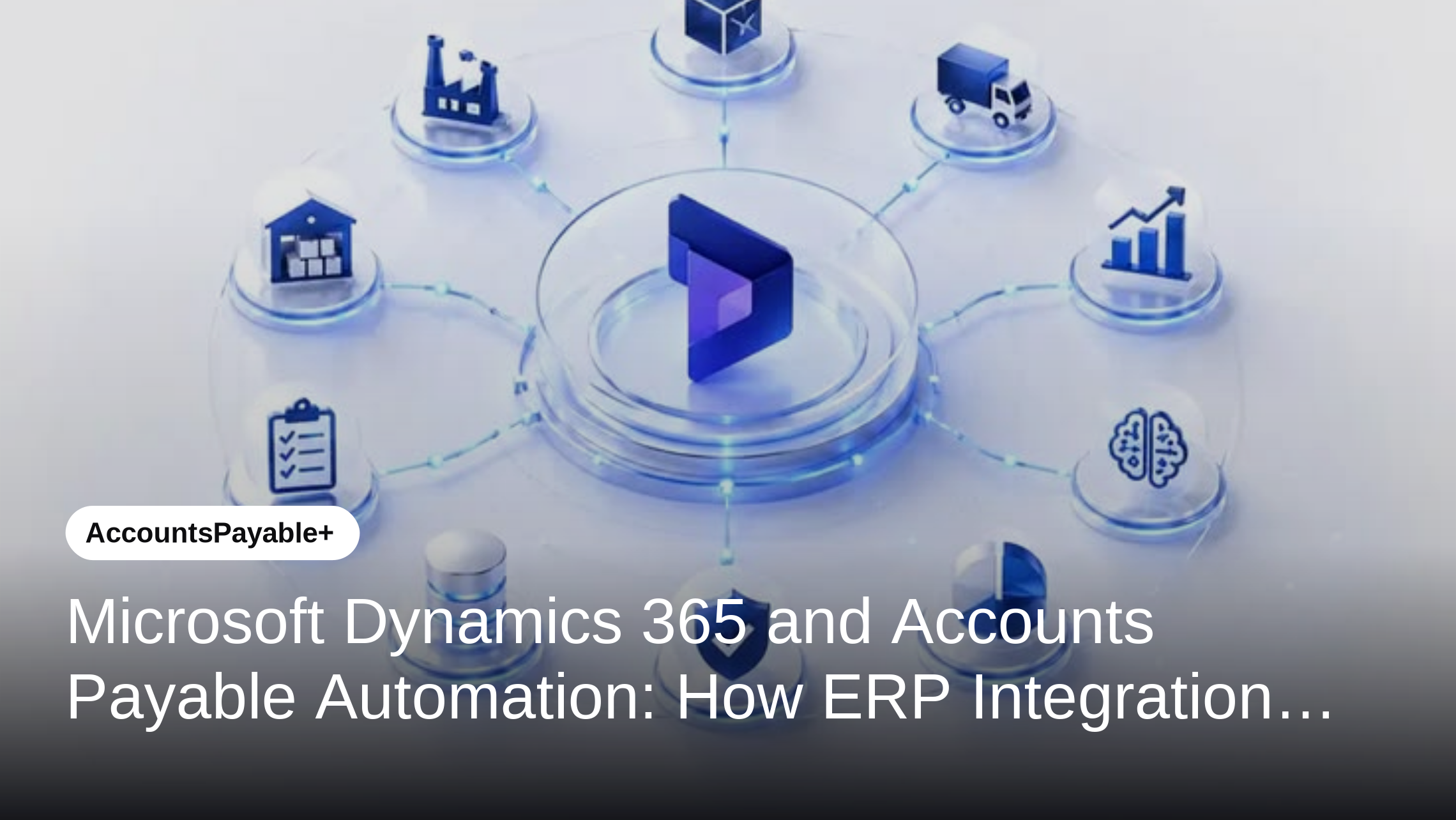
Microsoft Dynamics 365 supports financial and operational processes across organizations, including vendor invoice management, purchasing and accounting activities. However, accounts payable teams may still receive invoices through email, scanned documents or supplier channels that operate separately from their ERP environment. When invoice information is handled across disconnected systems, employees may need to enter data manually, verify transaction details in multiple applications and coordinate approvals through separate workflows.
Integrating an accounts payable automation platform with Microsoft Dynamics 365 can help connect invoice capture, validation and approval activities with enterprise finance processes. By combining structured invoice data with ERP records, organizations can reduce repetitive handling and improve coordination between AP and finance teams. The objective is to connect invoice processing with the existing ERP environment while maintaining clear responsibilities for data validation, approval and financial recording.
Why Connect Microsoft Dynamics 365 with AP Automation?
Microsoft Dynamics 365 can serve as a central environment for managing financial transactions, supplier information and purchasing records. Accounts payable teams rely on this information to review invoices, verify supplier details and confirm whether a transaction corresponds to an approved purchase. When invoice capture and processing take place outside the ERP, employees may need to transfer information manually before the transaction can move forward.
An integrated AP workflow can help reduce these disconnected steps by connecting invoice information with relevant ERP data. This can support more consistent processing, reduce repeated data entry and help finance teams manage invoice exceptions through defined workflows. For a broader explanation of enterprise connectivity, see Why Accounts Payable Automation Must Integrate with Your Existing Enterprise Systems.
Understanding the Role of Dynamics 365 Finance in Invoice Processing
Microsoft Dynamics 365 is a family of business applications. Dynamics 365 Finance is particularly relevant to enterprise accounts payable because it supports vendor invoice management, invoice workflows, purchase order matching and financial processing. Organizations can use its vendor invoice capabilities to manage invoice records, review transactions and coordinate approval and posting activities.
Microsoft also documents integration scenarios in which external invoice-processing systems provide machine-readable invoice information and supporting documents for consumption by Dynamics 365 Finance. This can involve invoice header information, invoice lines and attachments. The precise approach depends on the Dynamics 365 environment, configuration and integration design.
What Information Needs to Move Between Systems?
Before connecting AP automation with Dynamics 365, organizations should identify which information needs to be exchanged and which application is responsible for maintaining each record. This prevents unnecessary duplication and helps establish consistent references across the invoice lifecycle.
Supplier Information
Supplier information helps identify the business partner associated with an invoice. Relevant details may include supplier names, account references, addresses and other identifiers used within the organization's finance processes.
Finance and IT teams should determine whether Dynamics 365 or the AP platform acts as the authoritative source for each supplier field. They should also define how supplier references are matched and how changes are reviewed. The availability of automated supplier master-data synchronization should be confirmed during technical scoping rather than assumed.
Invoice Header and Line Details
Invoice header information may include the invoice number, date, supplier reference, currency, total amount and purchase order reference. Line-level information can include descriptions, quantities, unit prices, tax details and other transaction attributes required for invoice review.
An AP automation platform can capture relevant invoice fields through OCR and auto-indexing. Integration planning should establish which extracted fields need to be exchanged with Dynamics 365, which fields require validation and how incomplete or inconsistent information should be handled.
Purchase Order and Receipt Information
For purchase order-based invoices, purchasing and receipt information provides context for verifying the supplier's charges. Depending on the configured integration, relevant purchase order and product receipt records may need to be made available to the invoice-processing workflow.
This information can support comparisons between the invoice, purchase order and goods receipt records. Organizations should define how differences in quantities, prices or other transaction details are identified and routed for review. For a detailed explanation of this control, see What Is Three-Way Matching and Why It Matters in Accounts Payable?.
Invoice Attachments and Supporting Documents
Invoices may include supporting documents such as delivery records, purchase order references, service confirmations or other evidence required during review. These documents need to remain associated with the correct invoice so that reviewers can access the relevant information.
Microsoft documents invoice integration scenarios that include invoice attachments alongside header and line information in Dynamics 365 Finance. Organizations should assess which attachment types, document relationships and retention requirements apply to their own integration design.
Processing and Approval Status
AP teams need to know whether an invoice is awaiting validation, pending approval, rejected, held for an exception or ready for the next processing stage. Finance teams should decide which system owns each status and how relevant updates are communicated across the integrated environment.
A clearly defined status model helps prevent conflicting records and reduces the need for employees to contact different teams to establish where an invoice stands. The exact status synchronization capabilities should be verified during implementation.
How an Integrated Invoice-Processing Workflow Operates
The integration workflow should reflect the organization's existing procurement and finance procedures. A typical model can include the following stages, although the exact sequence depends on the Dynamics 365 configuration and the integration scope agreed between the systems.
Step 1: Invoice Receipt and Capture
The process begins when a supplier invoice is received through an approved channel, such as email, a digital submission process or a supplier portal. The invoice is made available to the AP automation platform for processing.
AI-powered OCR and auto-indexing can extract relevant details such as supplier information, invoice number, date and amount. This converts invoice content into structured information that can be reviewed before it is exchanged with the ERP environment.
Step 2: Invoice Data Validation
After capture, invoice information needs to be checked for completeness and consistency. This may include reviewing mandatory fields, supplier references, invoice identifiers, amounts and purchase order details where applicable.
The workflow should identify which checks take place within the AP platform and which depend on information held in Dynamics 365. Missing fields, inconsistent references or duplicate invoice details should be flagged for review instead of being treated as validated information.
Step 3: Purchase Order and Receipt Verification
For PO-based invoices, relevant purchasing and receipt information can help finance teams compare the supplier's charges with the original transaction. The review may consider invoice quantities, prices and received goods or services.
AccountsPayable+ identifies PO/GRN inconsistencies through mismatch alerts. The integration design should establish how the relevant ERP records become available to the validation process and how identified differences are assigned for resolution.
Step 4: Invoice Approval
Once the required validation checks are completed, the invoice can move through the organization's approval process. Approval requirements may depend on invoice value, department, business unit or internal authorization policies.
Automated approval workflows can route invoices to the appropriate stakeholders and reduce manual forwarding. AccountsPayable+ also supports smart escalations to help bring delayed approvals to attention. Organizations should define how these workflow activities relate to the approval processes configured in Dynamics 365.
Step 5: Invoice Data Exchange
After the required processing conditions are satisfied, relevant invoice information can be exchanged with Dynamics 365 according to the agreed integration design. This may involve transferring validated invoice details, associated references or supporting documents for further processing within the ERP environment.
The implementation team should confirm whether the integration creates pending vendor invoices, supports invoice posting or exchanges only selected data. These are different levels of integration and should not be treated as interchangeable.
Step 6: Exception Management and Monitoring
Not every invoice will complete the expected workflow. Failed imports, missing supplier references, duplicate identifiers, mismatched amounts or incomplete supporting documents may require additional investigation.
A defined exception process should identify the reason for the failure, assign responsibility for correction and establish how the corrected information is resubmitted. Microsoft Dynamics 365 Finance also documents exception handling for vendor invoices that fail to import, demonstrating why integration monitoring and clear ownership are important parts of the process.
Common Integration Challenges
Connecting AP automation with Dynamics 365 requires attention to data structures, business rules and operational responsibilities. A technical connection alone does not ensure that invoice information will move accurately through the process.
Inconsistent Supplier and Invoice References
Supplier identifiers, invoice numbers and other transaction references may be represented differently across systems. These differences can prevent an invoice from being associated with the correct supplier or ERP record.
Organizations should standardize important identifiers, define field-mapping rules and establish validation checks before enabling routine data exchange. Supplier data quality is particularly important because incorrect or outdated information can affect invoice verification and downstream processing. See Why Supplier Data Quality Matters in Accounts Payable.
Incomplete or Invalid Invoice Data
An invoice may be missing mandatory fields, contain incorrect values or lack the references required for ERP processing. If incomplete information is transferred without appropriate checks, it can lead to failed imports or additional correction work.
Organizations should define mandatory fields, validation requirements and exception categories. They should also decide which team is responsible for correcting source-document information and which team handles integration-related errors.
Unclear Data Ownership
Integration issues can arise when finance and IT teams do not know which system is responsible for maintaining a particular record. Supplier information, invoice data and approval statuses may be handled across different applications.
A data ownership model should specify the authoritative system for each information category. It should also define who can create, update, approve and correct records so that changes do not introduce inconsistencies.
Failed Data Exchange and Import Exceptions
Connectivity issues, invalid field values, missing references or changes in system configuration can interrupt invoice data exchange. These failures may leave invoices incomplete or prevent them from reaching the expected processing stage.
Organizations should establish integration logs, error notifications and clear procedures for investigating failed transactions. Exception ownership and resubmission rules should be documented so that finance teams can distinguish processing issues from technical integration failures.
Differences in Workflow and Approval Rules
The AP platform and Dynamics 365 environment may have different validation and approval responsibilities. If these rules are not aligned, invoices may pass one stage but fail at another, creating unnecessary rework.
Finance and IT teams should map the end-to-end process before implementation. They should identify where validation takes place, which system controls each approval stage and how status changes are communicated.
Best Practices for Implementing Dynamics 365 Integration
A structured implementation approach helps organizations reduce data inconsistencies and maintain control over invoice processing.
-
Define the integration scope: List the invoice fields, supplier references, purchase order details, attachments and status information that need to be exchanged.
-
Map invoice workflows: Document invoice receipt, capture, validation, approval, ERP processing and exception handling.
-
Test representative transactions: Include PO-based invoices, non-PO invoices, duplicate submissions, incomplete documents and approval exceptions.
Testing should involve both finance users and technical teams. Finance teams can validate whether the workflow reflects business requirements, while IT teams can verify data exchange, error handling and system performance. This helps identify issues before the integration becomes part of routine AP operations.
How AccountsPayable+ Supports Microsoft Dynamics Integration
AccountsPayable+ supports ERP integration with Microsoft Dynamics as well as SAP, Oracle and Tally. Its invoice-processing capabilities include AI-powered OCR and auto-indexing, which extract relevant information from supplier invoices and help reduce manual data entry.
The platform also supports duplicate detection, vendor pattern recognition, PO/GRN mismatch alerts, automated approval workflows and smart escalations. These capabilities can support invoice capture, validation and approval activities before relevant information is exchanged with the ERP environment. The specific Dynamics 365 application, supported data fields, synchronization method and invoice-posting responsibilities should be confirmed during implementation.
Frequently Asked Questions About Dynamics 365 and AP Automation
Can accounts payable automation integrate with Microsoft Dynamics 365?
Yes. Accounts payable automation platforms can integrate with Microsoft Dynamics environments to connect invoice-processing activities with ERP workflows. AccountsPayable+ confirms Microsoft Dynamics integration at the product level. The exact Dynamics 365 application, version and supported data exchanges should be verified during technical scoping.
What information can be integrated with Dynamics 365 Finance?
Depending on the integration design, information may include invoice header details, invoice lines, supplier references, purchase order information and supporting documents. Microsoft documents vendor invoice integration using invoice header, line and attachment data entities. The fields supported by a specific AP platform depend on its connector and configuration.
Does integrating AP automation with Dynamics 365 eliminate manual invoice processing?
Integration can reduce repeated data entry and manual coordination when combined with invoice capture, validation and automated approval workflows. However, invoices with missing information, mismatches or other exceptions may still require employee review.
Is Dynamics 365 Finance the same as Microsoft Dynamics 365 Business Central?
No. Dynamics 365 Finance and Dynamics 365 Business Central are separate applications within the Dynamics 365 family. Their capabilities, configuration and integration requirements differ. Organizations should confirm which application their AP automation platform supports rather than assume that integration with one establishes compatibility with the other.
Conclusion
Connecting accounts payable automation with Microsoft Dynamics 365 can help organizations bring invoice capture, validation and approval activities closer to their existing finance processes. When invoice fields, supplier references, supporting documents and workflow responsibilities are clearly defined, integration can reduce repetitive handling and improve coordination between AP and ERP teams.
The success of an integrated AP workflow depends on more than transferring invoice data between applications. Organizations need to establish data ownership, validation rules, approval responsibilities and exception-handling procedures before deployment. AccountsPayable+ supports Microsoft Dynamics integration alongside invoice capture, duplicate detection, mismatch alerts and automated approval workflows, providing a foundation for connecting AP processing with enterprise finance operations.