Introduction
Every minute an employee spends searching for a file is a minute lost in productivity. In an average workday, knowledge workers can spend up to 20% of their time just looking for information. That’s one full day every week gone.
Businesses can reduce document search time by combining better document organization with the right technology. From centralizing files and standardizing metadata to enabling OCR and advanced search, the right approach can help employees find information faster without relying on manual folder navigation. This guide covers practical strategies organizations can use to improve document retrieval and search, reduce information silos and make everyday work more efficient.
The Hidden Cost of Document Chaos
Misplaced or poorly organized documents don’t just slow down individual tasks; they delay decisions, increase operational costs and put your organization at risk during audits or legal disputes.
Here’s what causes the most delays:
As document volumes grow, these problems become more difficult to manage. Employees may recreate files they cannot locate, work with outdated versions or depend on colleagues to find information. The result is not only wasted search time but also slower decision-making, duplicated effort and greater difficulty maintaining accurate business records.
1. Centralize Your Document Storage
Start by eliminating information silos. Instead of spreading documents across desktop folders, local drives, email attachments and disconnected applications, centralize business documents within a Document Management System (DMS). A centralized repository gives authorized employees a consistent place to store, access and manage business information.
Solutions such as DMS+ can further support centralized storage with capabilities for document organization, access control and version management.
A centralized DMS ensures:
Centralized storage also reduces duplicate documents and ensures employees always access the latest approved version. This minimizes confusion, improves collaboration and supports business continuity during audits or system failures.
2. Use Metadata & Smart Tagging
One of the fastest ways to find a document is by using metadata rather than relying only on its filename. Metadata can include information such as department, document type, date or an associated ID such as EmpID or VendorID.
With DMS+:
Standardized metadata also strengthens document indexing, allowing users to locate files using business information instead of remembering exact filenames or folder locations. This becomes increasingly valuable as document repositories continue to grow.
3. Adopt a Standardized File Naming Convention
A simple rule-based naming format can reduce confusion and improve consistency. For example:
a. Invoice_VendorName_Month_Year.pdf
b. EmpContract_EmployeeID_Date.pdf
This is especially helpful for teams that regularly manage high volumes of documents such as invoices, contracts and employee records. When combined with metadata and version control, standardized file naming creates a consistent document structure across the organization. It also reduces duplicate files, simplifies collaboration and improves search accuracy.
4. Automate Document Filing
With intelligent automation in DMS+, uploaded documents are automatically categorized and filed into predefined folders based on metadata or form inputs.
For instance:
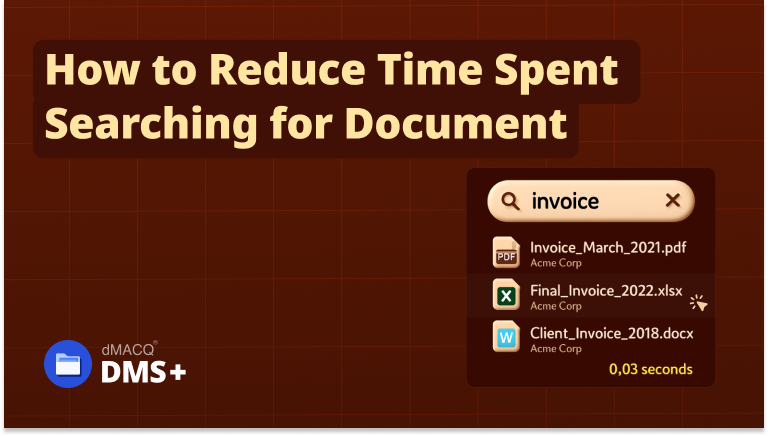
5. Leverage Advanced Search
A modern DMS like DMS+ supports:
Advanced search capabilities reduce dependency on manual folder navigation by allowing employees to search using keywords, metadata, document properties or indexed content. Users can therefore search based on what they know about a document rather than having to remember where it was stored. This significantly improves document retrieval speed, especially for organizations managing large volumes of digital records.
6. Enable Access Controls & Document Ownership
Document accessibility also depends on ensuring employees have the appropriate permissions to access the information they need. Role-based access controls help organize document access according to job responsibilities while ownership information helps teams identify who manages or uploaded a document.
With DMS+:
This combination improves collaboration, strengthens information security and makes document retrieval more efficient.
7. Use Dashboards & Alerts
Real-time dashboards in DMS+ highlight:
Proactive notifications reduce the need for employees to manually search for pending documents, enabling faster approvals and improving visibility into ongoing business processes.
Best Practices to Reduce Document Search Time
Reducing document search time requires more than implementing new software. Organizations should also establish consistent document management practices that improve organization and accessibility.
Follow these best practices:
Following these practices helps maintain an organized document repository while supporting long-term operational efficiency.
Conclusion
Reducing document search time is not simply about finding files faster. It is about improving productivity, enabling better collaboration and ensuring employees have quick access to the information they need to perform their work effectively. By combining structured document management practices with intelligent search capabilities, organizations can create a more efficient and organized workplace.
Solutions such as DMS+ help businesses centralize documents, automate document organization and simplify information retrieval through features such as OCR, metadata management and advanced search. Choosing the right Document Management System can improve document retrieval, operational efficiency and information accessibility while supporting broader digital transformation initiatives.