Introduction
Employee records span the entire employment journey, from recruitment and onboarding to performance management and exit. When these documents are scattered across email, shared drives and physical files, HR teams can struggle with retrieval, security and compliance.
An effective employee document management system brings these records into a structured environment where documents can be securely stored, easily retrieved and managed throughout their lifecycle.
Why Employee File Management Matters
HR teams manage sensitive records such as identification documents, contracts, payroll records, performance reviews and compliance documents. Poor file management can result in misplaced records, unauthorized access, outdated documents and unnecessary time spent searching for information.
A structured HR document management system helps address these challenges by centralizing employee records while providing controlled access, consistent organization and better visibility over document status.
Types of Employee Documents to Manage
Employee files can contain documents created at different stages of the employment relationship.
Common categories include:
An employee file management system should make these documents easy to categorize, retrieve and manage without relying entirely on manual folder structures.
Managing Employee Documents Across the Employee Lifecycle
Employee file management becomes more effective when documents are organized according to the employee lifecycle rather than treated as isolated files.
Recruitment and Onboarding
HR teams collect identification documents, qualifications, offer letters, contracts and other joining records. A structured HR document management solution can organize these documents as they are submitted and help identify incomplete employee files.
For detailed onboarding use cases, see Improve Employee Onboarding with Document Management Software.
Employment and Development
During employment, employee files continue to grow with appraisal records, training certificates, policy acknowledgments and updated employment documents. Centralized storage helps HR maintain a consistent record while controlling who can access sensitive information.
Transfers and Role Changes
Promotions, transfers and changes in responsibilities may require updated contracts, approvals or other supporting documents. Maintaining document history helps HR distinguish current records from previous versions.
Employee Exit
Exit documentation can include resignation records, clearance forms, final agreements and other separation documents. A structured HRDMS helps preserve these records while applying appropriate retention and access controls.
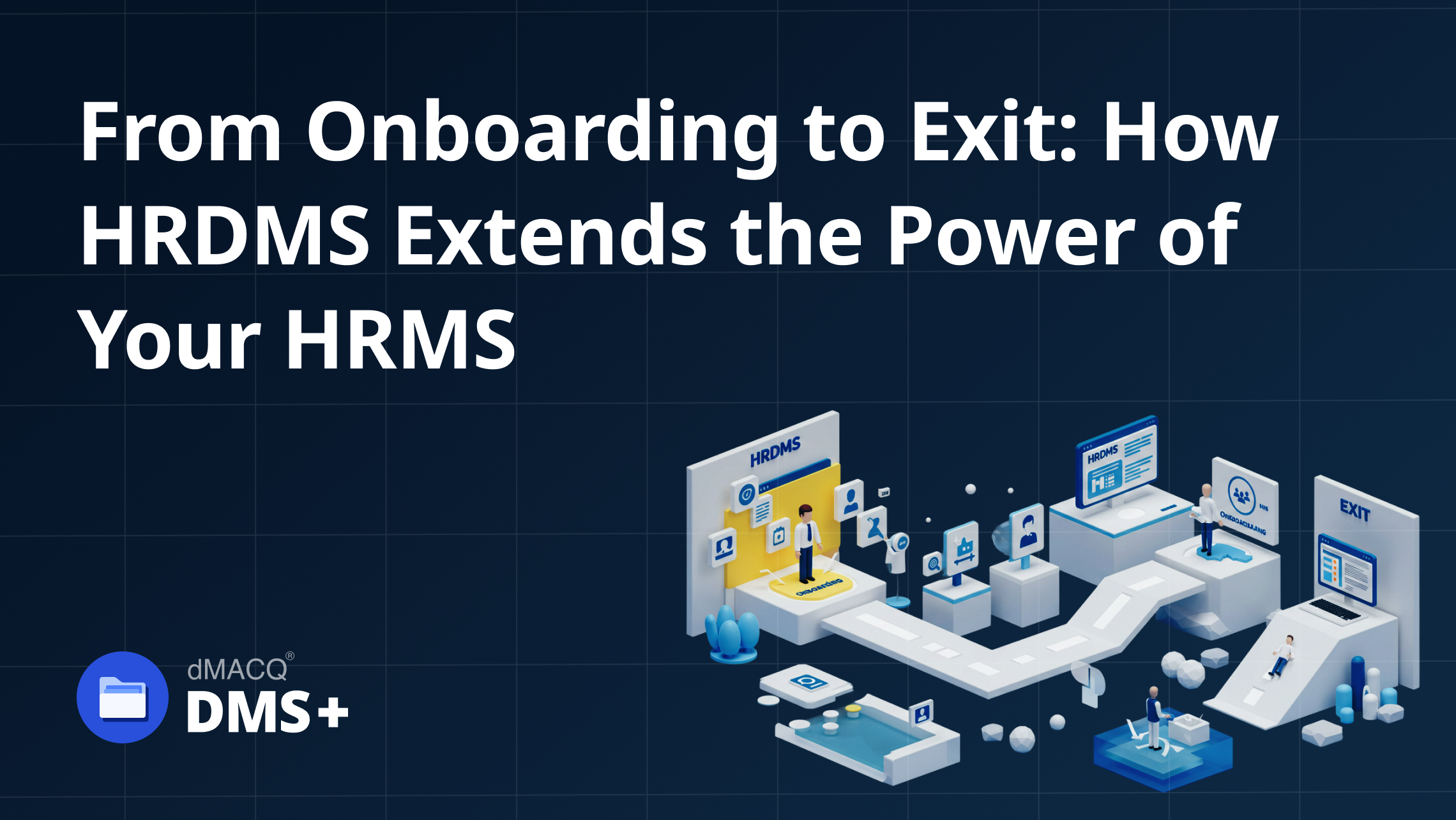
For a broader view of the employee lifecycle, see From Onboarding to Exit: How HRDMS Extends the Power of Your HRMS.
Best Practices for Managing Employee Files
Create a Consistent Employee File Structure
Define a standard structure for every employee record. Documents can be organized by employee, document category, document type and relevant metadata.
Consistency makes files easier to locate and reduces the risk of documents being stored in the wrong location.
Use Role-Based Access Controls
Employee records should not be accessible to everyone in an organization. Use role-based permissions to determine who can view, edit, approve or manage specific document categories.
This helps protect sensitive information while allowing authorized HR personnel to access the records required for their responsibilities.
Maintain Document Versions
Employment contracts, policies and other HR documents may change over time. Version control helps preserve previous versions while clearly identifying the current document.
This reduces confusion when multiple versions exist and provides a history of changes when records need to be reviewed.
Automate Expiry and Renewal Tracking
Some employee documents require periodic renewal or review. Certifications, licenses, contracts and work-related documents can become outdated if HR teams rely on manual reminders.
An HR document management system can provide alerts for upcoming expirations and help HR teams act before important documents become overdue.
Apply Retention and Archiving Rules
Employee records should not simply remain stored indefinitely. Organizations should define how long different document categories need to be retained and when they should be archived or disposed of.
Document lifecycle management provides a structured approach to managing records from creation through retention and eventual disposition.
Maintain an Audit Trail
An audit trail provides visibility into important document activity, including changes, approvals and access. This creates greater accountability and helps HR investigate issues when questions arise about an employee record.
What to Look for in HR Document Management Software
Choosing HR document management software should go beyond looking for digital storage. HR teams should consider how effectively the system supports the entire employee document lifecycle.
Centralized Employee Records
The system should provide a structured location for employee documents rather than forcing HR teams to search across multiple repositories.
Search and Retrieval
Employees' records should be searchable using relevant information such as employee identifiers, document types, dates or metadata. Faster retrieval can reduce the administrative effort associated with everyday HR requests and audits.
Document Lifecycle Management
Look for capabilities that support document creation, review, approval, storage, versioning, retention and archiving. This ensures employee documents remain manageable beyond their initial upload.
Security and Access Control
The system should allow organizations to define access according to roles and responsibilities. This is particularly important when managing personal, financial or employment-related information.
Workflow Automation
Where documents require review or approval, workflows can reduce manual follow-ups and provide greater visibility into pending actions.
Integration With HR Systems
An HRDMS should complement existing HR systems rather than create another isolated repository. Integration can help connect employee information with the documents associated with it.
For an overview of how HRDMS can work alongside other business systems, see Digital Transformation in HR: Top Use Cases for an Effective HR Document Management System (HRDMS).
Common Employee File Management Mistakes
Relying on Shared Drives
Shared folders may provide basic storage but can become difficult to manage as employee numbers and document volumes increase.
Keeping Multiple Copies of Documents
Duplicate files make it difficult to determine which document is current and can increase storage and retrieval problems.
Giving Excessive Access
Employees should only receive access appropriate to their role. Broad permissions can expose sensitive employee information unnecessarily.
Managing Expiry Dates Manually
Using spreadsheets or calendars to track every document renewal can become difficult as employee records grow.
Migrating Old Records Without Review
Moving every existing document into a new system can transfer duplicates, obsolete records and inconsistent information. Employee files should be reviewed and prepared before migration.
How an HRDMS Improves Employee File Management
A well-designed human resources document management system turns employee file management from a collection of storage activities into a structured information-management process.
Instead of simply keeping documents in digital folders, HR teams can establish consistent organization, controlled access, searchable records, document histories and lifecycle-based management.
For more on the fundamentals of HRDMS, see What is HRDMS? The Complete Guide to HR Document Management Systems.
Conclusion
Effective employee file management requires more than digitizing paperwork. HR teams need a consistent structure for organizing records, controls for protecting sensitive information and processes for managing documents throughout the employee lifecycle.
An employee document management system can provide this foundation by bringing employee records into a centralized and controlled environment. The right HRDMS can help HR teams spend less time managing files and more time focusing on their people.